

How to Register for More than 1 Internship Credit
To update the amount of variable credits you are registered for, the following will guide you through the process:
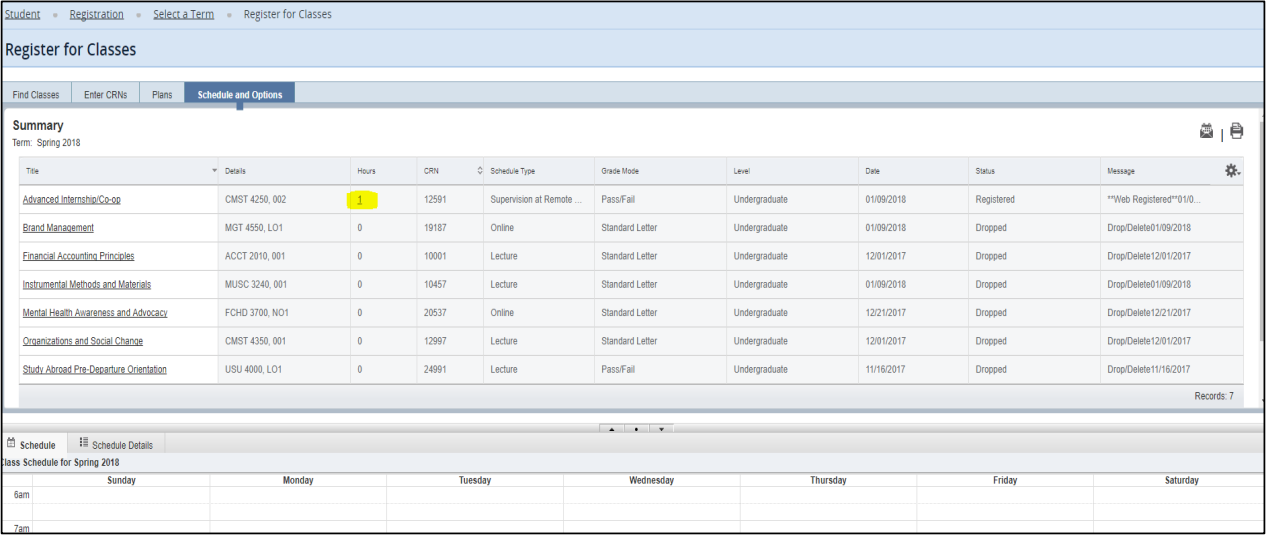
Log in to “Register for Classes” in Banner. When you come to the home registration page click “Schedule and Options”.

Your classes will all be listed in a summary. The variable credit class will be underlined, and is a link that you should click
on. You will type in the amount of credits you need/will earn, and press the enter key.
******** Be sure to click “Submit” in the bottom right part of the screen to save changes ********